How to Leave a Google Review on iPhone, Android and a Computer
The steps for leaving a Google review on each device, the direct link that skips the search, and a short version businesses can text or print for their customers.
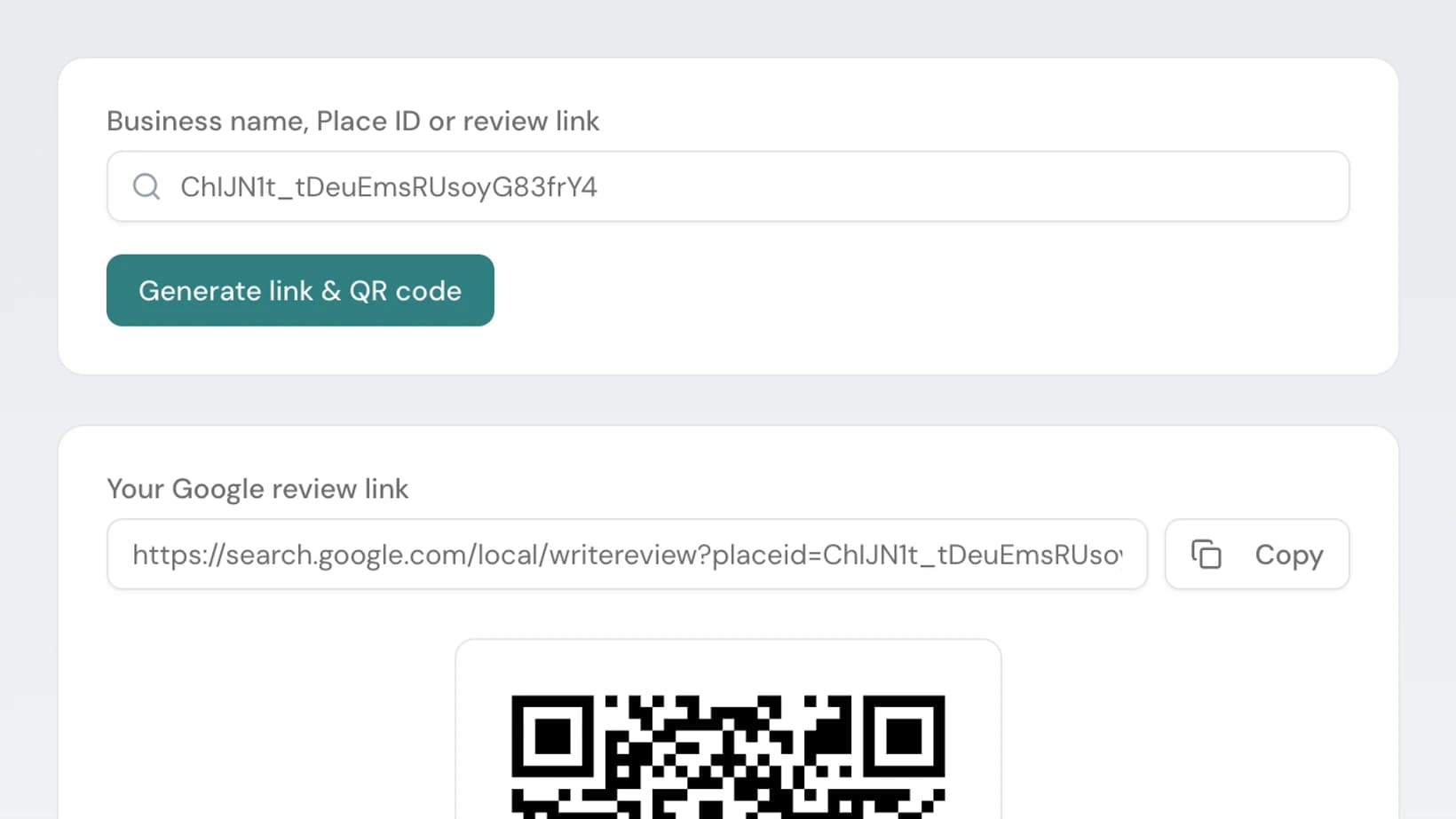
To leave a Google review, open Google Maps, find the business, tap Reviews, tap the stars and tap Post. You need to be signed in to a Google account. On a phone that is 6 short steps. On a computer it is 4. Writing text is optional: a star rating alone is a review. If the business sent you a review link, it is even shorter. Tap the link and the review box opens. Below is how to leave Google reviews on an iPhone, an Android phone and a computer, what to do when the button is missing, and a short version business owners can text to customers or print by the till.
How to leave Google reviews: the short version
The Google Maps app works the same way on iPhone and Android, so the phone steps match. A computer is quicker, because the Write a review button sits right in the panel next to the map.
| Step | iPhone | Android | Computer |
|---|---|---|---|
| 1 | Open the Google Maps app (free in the App Store) | Open the Google Maps app (already on most phones) | Go to google.com/maps and sign in |
| 2 | Search for the business and check the address | Search for the business and check the address | Search for the business and check the address |
| 3 | Tap its name at the bottom of the screen | Tap its name at the bottom of the screen | In the panel on the left, scroll and click Write a review |
| 4 | Tap Reviews at the top | Tap Reviews at the top | Click the stars, add words if you like, click Post |
| 5 | Tap the empty stars | Tap the empty stars | Done |
| 6 | Add words if you like, tap Post | Add words if you like, tap Post |
Got a link or a QR code from the business? Skip the table. Tap the link or scan the code, sign in if Google asks, tap the stars and tap Post.
How to leave a Google review on iPhone
This is how to leave Google reviews in the Google Maps app on an iPhone. Before you start, check that you are signed in. Open Google Maps and look at the top right. If you see your picture or initial, you are in. If you see a plain gray icon, tap it and sign in.
- Open the Google Maps app. No app? It is free in the App Store.
- Find the business. Type its name in the search bar. If there are several locations, pick the one with the right street address.
- Tap the business name at the bottom of the screen. Its page opens.
- Tap Reviews at the top of that page.
- Tap the empty stars. One star is the worst, five is the best.
- Add a few words if you like under "Share more about your experience". Tap Add photos for pictures. Then tap Post.
Watch out for Apple Maps. On an iPhone, tapping an address often opens Apple Maps. A rating there stays in Apple Maps and does not show up on Google. Use the Google Maps app, or search the business name on Google in Safari and use the review button in its profile.
How to leave a Google review on Android
Most Android phones come with Google Maps, already signed in with the account you set the phone up with. That makes Android the quickest route.
- Open Google Maps.
- Search for the business and pick the right address.
- Tap its name at the bottom of the screen.
- Tap Reviews at the top.
- Tap the empty stars to score the place.
- Write what you want to say under "Share more about your experience". Answer the short questions if you like. Then tap Post.
Have a work account and a personal one on the same phone? Tap your picture at the top right to switch first. The review shows the name of whichever account you are using.
How to leave a Google review on a computer
On a laptop or desktop, this is how to leave reviews on Google in any browser:
- Go to google.com/maps and sign in at the top right.
- Search for the business and check the address.
- In the panel on the left, scroll down and click Write a review.
- Click the stars. Write a few words if you like, add photos with the camera button, and click Post.
You can also start from a normal Google search. Type the business name, and its profile shows up next to the results with the same Write a review button.
The fastest way: tap the business's review link
Every business on Google Maps has a direct review link. It opens the review box for that one business. The customer skips the search, the wrong branch and the hunt for the Reviews tab.
Asking works. In BrightLocal's 2026 survey of 1,002 US adults, 78% had been asked to leave feedback for a business in the past 12 months. And 83% of people asked to leave a review went on to leave one. A link turns that "yes" into one tap.
How a business gets its review link
- From Google. Signed in as the owner or a manager, open your Business Profile. Select Read reviews, then Get more reviews, and copy the link. Google only makes the QR code in a computer browser, not on a phone.
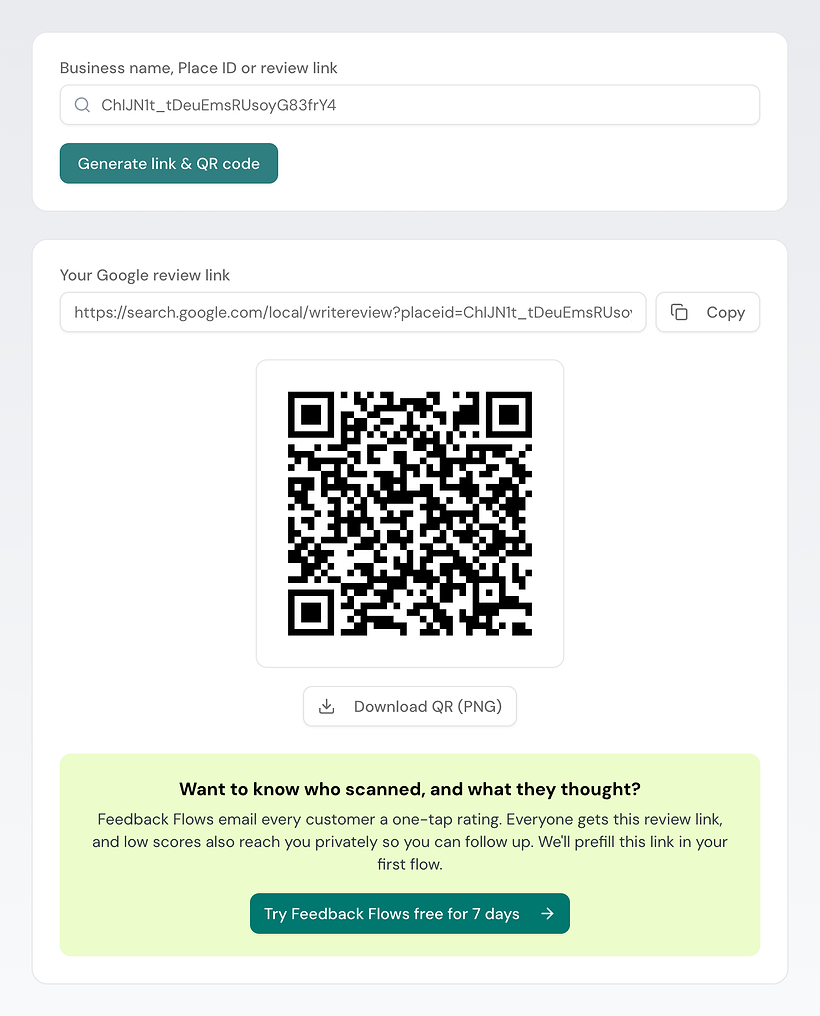
- Without signing in. Our free Google review link generator finds your business by name and gives you a link that opens the same review box, plus a QR code. It works on a phone, and you don't need access to the Business Profile.
A short version to send your customers
Copy the version that fits and swap in your details. Send the same words to every customer, not only the ones who seem happy. Google's rules don't allow picking who gets asked (more on that below). If customers still ask how to leave reviews on Google, send them this page.
By text message
Hi [first name], thanks for visiting [business] today. If you have a minute, a Google review helps people nearby find us. This link opens the review box: [link]
Reply STOP to opt out.
Only text customers who agreed to get texts from you. Our guide on whether it's legal to ask for reviews covers the rules.
By email or on a receipt
How did we do? Leave us a Google review in a few taps: [link]
Tap the stars, add a few words if you like, and tap Post. Google may ask you to sign in first.
On a printed card by the till
A card works for the customers you never get a phone number or email for. Print the QR code big enough to scan, and add three lines for anyone who has never done it:
Scan to review us on Google
1. Point your phone camera at the code.
2. Sign in to Google if it asks.
3. Tap the stars, add a few words if you like, tap Post.
No camera? Open Google Maps, search [business], tap Reviews.
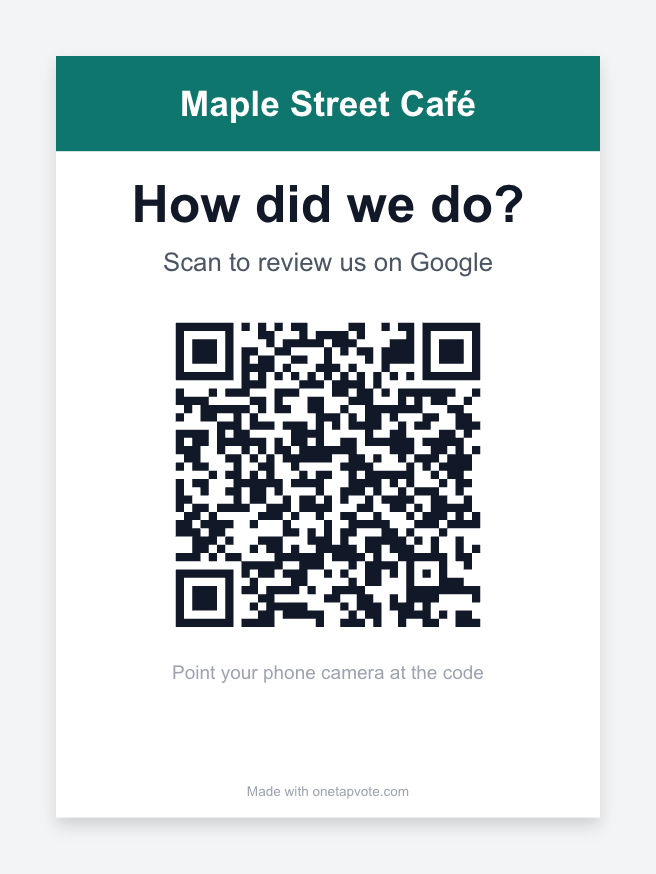
Let the card invite and leave the rest to the customer. Google's policy says businesses should not "require or pressure users to leave ratings or write reviews while on the premises". So don't hand over a tablet or wait while someone types. For spots that get scanned, see where to put a review QR code.
Can you leave a Google review without your name?
No. Google's help page says it plainly: "You're unable to add an anonymous review." Every review is public. It shows the name and picture from your Google profile, and anyone can see it.
You still have some choices:
- Change the name on your Google Account in Personal info, then Name. It changes across Google, not only on reviews, and you can change it back later.
- Use another Google account, for example one made with a different email address.
- Leave only stars, if you'd rather not share any details.
The business sees what everyone else sees: your profile name, your picture and your review. Google does not hand it your email address or phone number.
When the review button is missing or the review doesn't show
If you followed the steps on how to leave Google reviews and something went wrong, it is usually one of these.
| Problem | What to do |
|---|---|
| No Write a review button, or no stars to tap | You are most likely not signed in. Sign in to Google. On an iPhone, check that you are in Google Maps, not Apple Maps. |
| Google asks you to sign in, and you have no Gmail | You don't need Gmail. Make a free Google Account with the email address you already use: Create account, then Use your existing email. |
| Several branches show up | Each location has its own listing and its own reviews. Pick the one with the right street address. |
| Your review isn't visible | Open your profile in Google Maps and look at your reviews. If Google removed or rejected one, it may say "Not posted". You may be able to edit and post it again, or appeal. |
| You reviewed the wrong place | Delete the review from your profile, then post it on the right listing. |
How to edit or delete your review
Changed your mind, or the business fixed the problem? You can edit the text, the stars and the photos at any time.
- On a phone: in Google Maps, tap Contribute, then View your profile, then See all reviews. Tap More next to the review and choose Edit review or Delete review.
- On a computer: open Your contributions, then Reviews. Click More next to the review and choose Edit review or Delete review.
An edited review shows the date of the last edit, not the date you first posted it.
Rules for businesses that ask for reviews
Asking is fine. Google's policy lets businesses encourage reviews of a real experience. Three things are not allowed:
- Giving something in return, such as a discount, a free drink or a prize draw.
- Asking only the customers you expect to be happy, or putting people off writing bad reviews.
- Requiring or pressuring people to review while they are still on your premises.
Want a calmer way to ask that still works? See how to get more Google reviews without annoying customers.
What the free link tool does not do
- It does not sign anyone in. Customers still need a Google account, and Google asks them to sign in if they aren't.
- It can't tell you who left a review. New reviews show up in your Business Profile, as always.
- It doesn't send anything. You paste the link into your own texts, emails and receipts.
If you want the asking done for you, Feedback Flows email every customer a one-tap rating after the visit. Everyone gets your Google review link, and low scores also reach you privately so you can follow up. The free plan includes a few flows; pricing lists the limits.
FAQ
How do I leave reviews on Google without a Gmail address?
Make a free Google Account with the email address you already use. On the sign-up page, choose Create account, then Use your existing email. Then sign in and post as usual.
Can I leave just a star rating?
Yes. Tap the stars and tap Post. The text is optional, though a few words about what happened help other people more.
Can the business see who left the review?
It sees what everyone sees: the name and picture on your Google profile. Google reviews can't be anonymous.
Why doesn't my Google review show up?
Check your reviews in your Google Maps profile. If Google removed or rejected one, it may say "Not posted". You may be able to edit it and post it again, or appeal.
Can I change my review later?
Yes. Edit or delete it from your profile in Google Maps at any time. The review then shows the date of your last edit.
Make your link with the free Google review link generator, paste it into one of the messages above, and try a Feedback Flow as a customer to see the email route.
Sources
- Google Maps Help: Add, edit, or delete Google Maps reviews and ratings (iPhone and iPad)
- Google Maps Help: Add, edit, or delete Google Maps reviews and ratings (Android)
- Google Maps Help: Add, edit, or delete Google Maps reviews and ratings (computer)
- Google Business Profile Help: Create a Google link or QR code to request reviews
- Google Maps user-contributed content policy
- Google Maps policy help: Removed and rejected content for policy violations
- Google Account Help: Create a Google Account
- Google Account Help: Change your Google Account picture, name and other info
- BrightLocal: Local Consumer Review Survey 2026
Related tools & templates
- Google review link generatorFind your business by name and get the link that opens its Google review box.
- Google review QR code generatorA QR code that opens your Google review box, on a card, sign or sticker.
- Feedback FlowsEmail every customer a one-tap rating, then your review link.
- Collect Google reviewsThe full playbook, from the first ask to the follow-up.
- Online review statisticsSourced numbers on how customers read and write reviews.
- Free poll makerCreate a one-tap poll with a link and QR code. No sign-up for you or your voters.
AI tools draft parts of our articles; a person reads and edits every one before it is published. Found a mistake? Write to [email protected]. How we write